 IP Lens
Separate an empty list from a failed test
IP Lens reports the candidates gathered by a browser peer connection. A completed result with no candidates is different from an unsupported WebRTC API or a request that never completed. Keep the exact message instead of reducing every case to “no leak.”
This test does not request a camera or microphone, create a call with another person or configure a TURN relay. It gathers local connection candidates using the configured Google STUN service, so it cannot describe every possible real-time application.
Repeat under known conditions
- Open the WebRTC test in the browser you want to inspect and press Run.
- Allow several seconds for gathering to finish. Note whether the result is an empty list or a visible error.
- Record browser version, VPN state and any extension or organization policy that intentionally restricts WebRTC.
- Compare the IPv4/IPv6 HTTP exits. HTTP connectivity does not itself prove that STUN traffic is allowed.
- If permitted, compare another browser or approved network while changing only one condition.
Do not disable a required privacy or organization policy simply to obtain a candidate. An approved comparison is more useful than silently removing the protection you meant to test.
Example of the tool in use
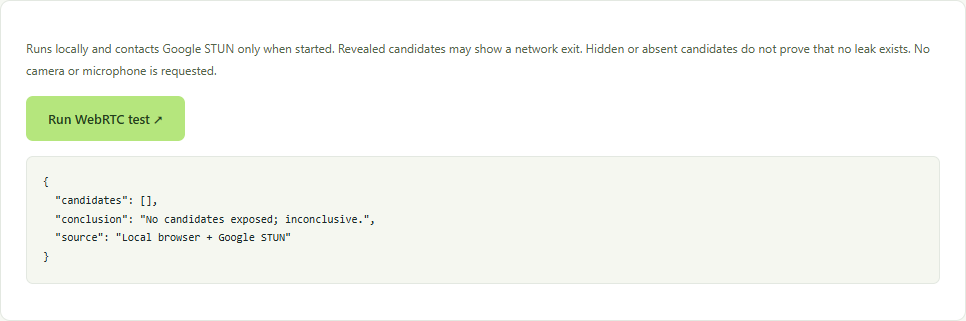
Candidate type matters when results appear
A host candidate may describe a private interface or be represented by an mDNS hostname. A srflx candidate is an address observed through STUN and should be compared with the expected public exit. A relay candidate normally describes a TURN relay, which this implementation does not configure.
A private address by itself is not proof that a public VPN exit was bypassed. An unexpected public address deserves a controlled comparison with routing policy. An empty list cannot establish that no other application or browser activity exposes an address.
Keep the conclusion proportional to the evidence
Report “no candidates exposed by this test in this browser at this time,” rather than a leak-free certification. If HTTP checks work but STUN gathering does not, ask your administrator or VPN provider whether real-time traffic is restricted by design.
Follow the VPN exit comparison workflow and the browser privacy guide. Preserve the conditions and time with any report, and review collected network information before sharing it.
Browser API reference
MDN explains the ICE candidate types. The conclusions above are limited to the candidate-gathering implementation used by IP Lens.