 IP Lens
Define the expected exit before testing
Write down what you mean by original IP: an address recorded before connecting, an IPv6 address, a private router address or a city label. These are not interchangeable. A location disagreement alone is not evidence that the original public address is visible.
Some VPN setups route selected applications or destinations differently. A browser proxy, extension or company gateway may add another route. IP Lens cannot inspect those settings or certify the VPN configuration, but it can help you collect comparable observations.
Collect comparable browser observations
- Record the current network and VPN state without changing other settings.
- Run the IPv4 and IPv6 exit test. Save each returned address separately, including unknown results.
- Run IP lookup and compare the returned address before reading the city or ASN.
- Use the WebRTC check as additional evidence. Compare public srflx candidates with the expected exit; private host candidates are a different category.
- If appropriate for your environment, change only the VPN state and repeat the same checks in the same browser.
Do not disconnect a VPN on a connection where your organization requires it. You can instead compare an approved test environment or ask your administrator for the expected exits.
What the tool looks like
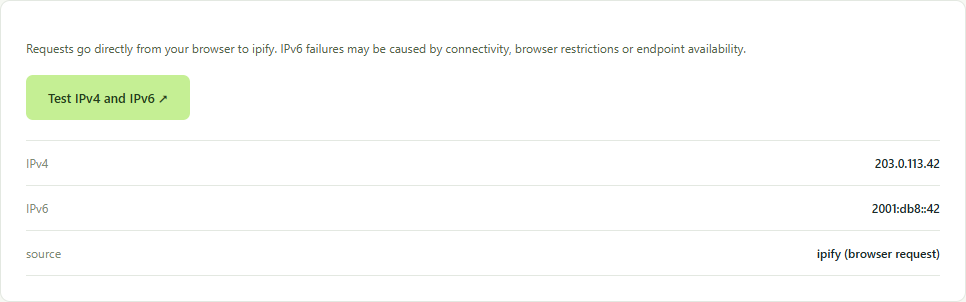
Separate address families and destinations
If IPv4 changes but IPv6 does not, review whether your VPN handles IPv6 and whether the result is actually the same IPv6 address. If different HTTP providers see different exits, destination-specific routing or proxies are possible; there is not necessarily one universal browser exit for every destination.
No WebRTC candidates does not resolve the question. The browser may hide candidates or fail to reach STUN. Likewise, an ASN associated with hosting is not a verified VPN classification. This site has no configured commercial reputation provider.
Use the evidence in a focused support request
Compare your VPN’s documented routing policy and enabled split-tunneling settings. Ask its support team whether IPv6 and your browser are covered by that configuration. Include times, address families and the specific service reporting the mismatch; remove unrelated device information.
Read how to investigate IPv6-only problems and what an empty WebRTC result means. These tests provide observations, not a comprehensive leak-free certification.