 IP Lens
Distinguish an unknown result from a proven outage
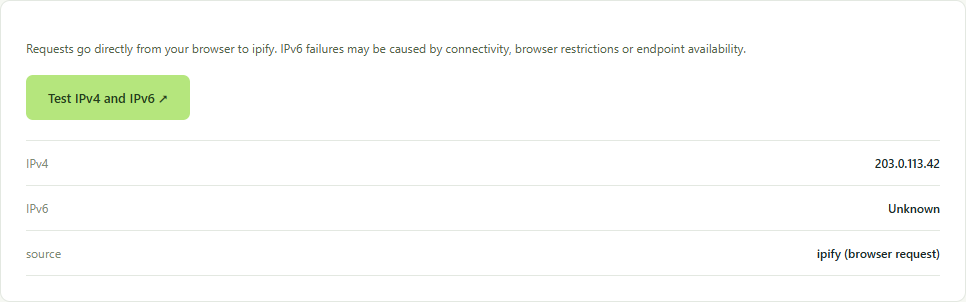
A single browser request can fail because its endpoint is unreachable, the request is filtered or the browser cannot complete it. An unknown IPv6 result is therefore narrower than a diagnosis that your router or internet provider is broken.
Record the exact symptom: no address from the IPv6 test, a website that works on one network, or a domain with an unexpected AAAA record. These observations require different next steps. Keep the browser and network constant for your first comparison.
Collect evidence in a stable order
- Run the IPv6 test and save both family results and the time.
- Repeat once if a request fails. The test uses IPv6-only api6.ipify.org rather than a dual-stack endpoint that could return IPv4.
- For one affected website, open DNS lookup and compare A and AAAA answers for its exact hostname.
- Record whether a VPN or proxy is active and whether its documented policy covers IPv6.
- If allowed, compare another network with the same device. Change one condition at a time so that the difference remains interpretable.
Example of the tool in use
Read common combinations
IPv4 success with IPv6 unknown confirms useful connectivity to the IPv4 endpoint, not a complete loss of internet service. IPv6 success shows a route to that test endpoint; it does not guarantee every IPv6 website, DNS server or protocol works.
A domain without an AAAA answer may simply publish no IPv6 address. That is different from a published AAAA address whose destination is unavailable. A test result that changes only when a VPN is enabled calls for reviewing that VPN’s configuration rather than assuming a general provider fault.
Escalate the smallest reproducible case
Ask your network administrator or provider whether IPv6 service is expected on that connection. If it is, supply the device, network type, time and specific endpoint or hostname that failed. Do not make broad firewall, DNS or router changes without understanding their purpose.
After a hosting move, use the DNS migration checklist. For unexpected VPN exits, use the address-family comparison guide. Keep address masking in mind: downloaded reports still retain collected IP results.
Endpoint reference
ipify documents its separate IPv4-only and IPv6-only endpoints. The tool reports observations from those requests, not a comprehensive network certification.